
My Accounts#
Managing Different Accounts#
Managing accounts allows you to quickly navigate between the homepages of different accounts.
To Manage an Account:
Go to the My Accounts Category: My Accounts page.
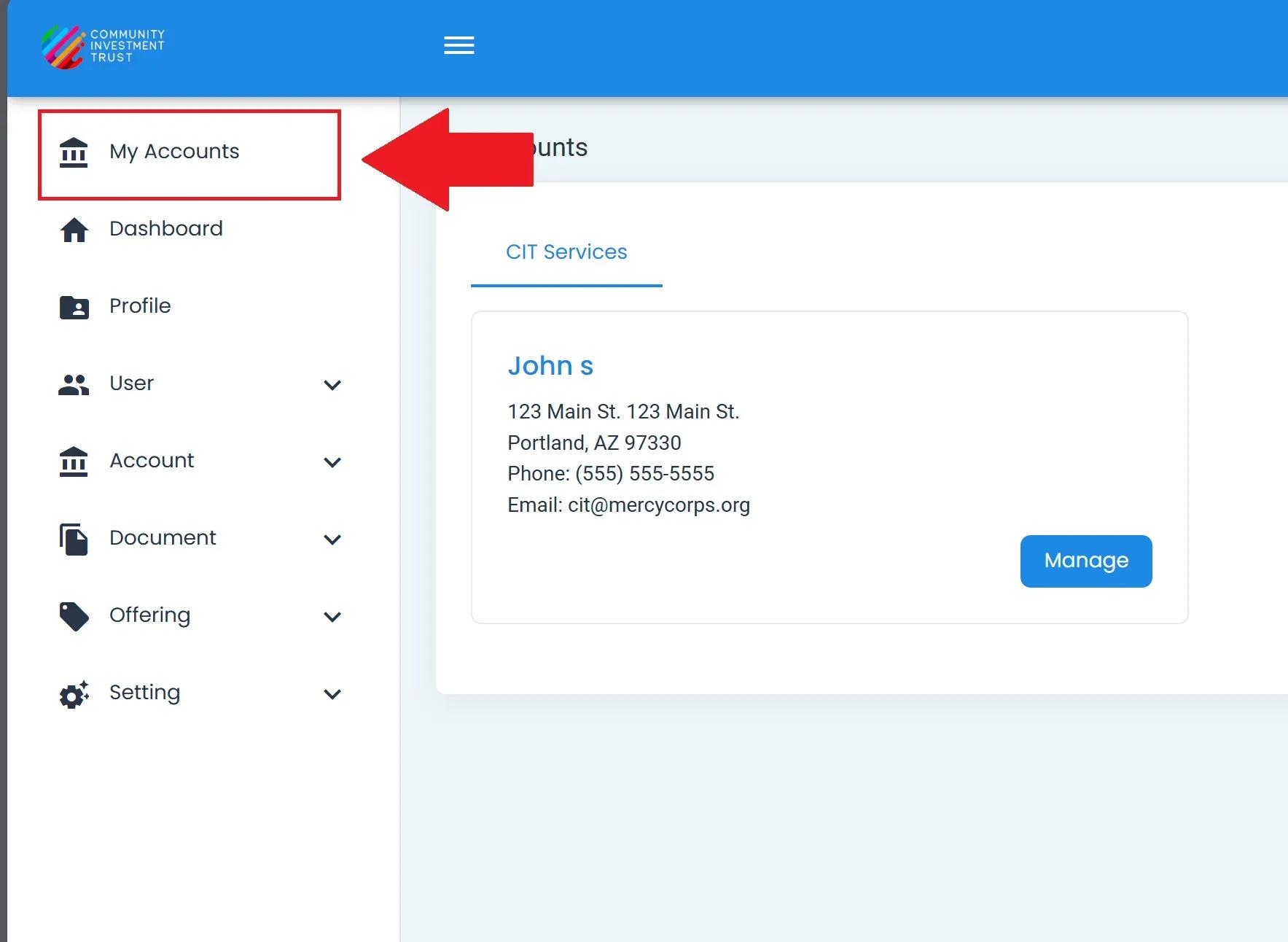
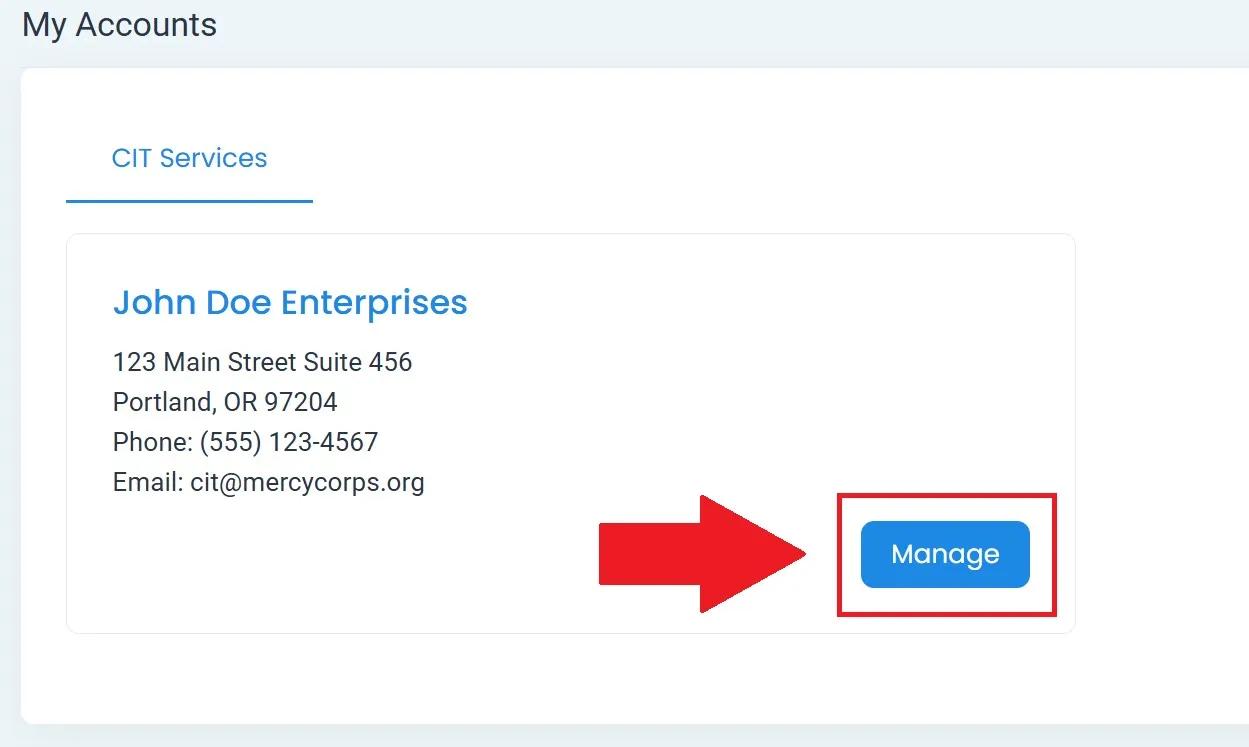
Find the account you want to manage.
Select Manage next to the account name.
Ensure that the Account Being Managed matches the account that you selected.