
Re-Enrollment Instructions#
Follow the instructions below to re-enroll in an investment:
1. Find the investment you want to re-enroll in.#
2. Click on “Re-enroll” button#
Click on the Re-enroll button for the investment you want to enroll or denroll from.
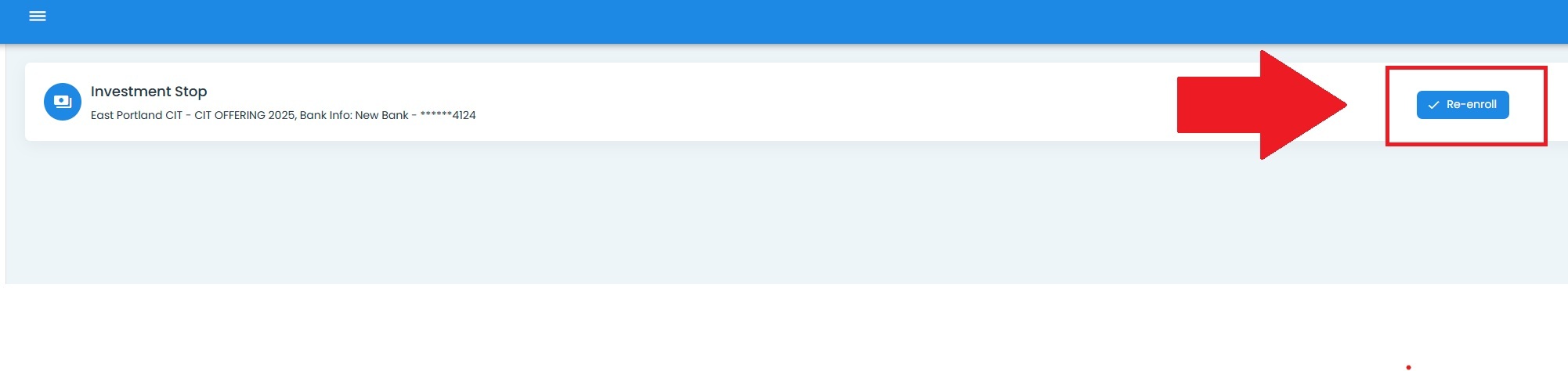
Dashboard, Re-Enroll Button Location#
3. Answer the pop-up message by clicking either the Item: Yes or Item: No selections.#
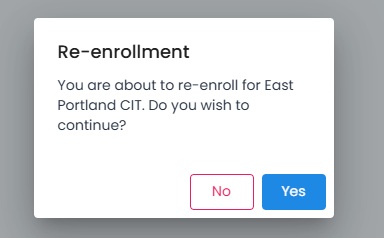
Dashboard, Re-Enroll Pop-up#
Action Complete
You have successfully re-enrolled in the investment. You should see the following as a result:

Dashboard, Re-Enroll Action Complete#